

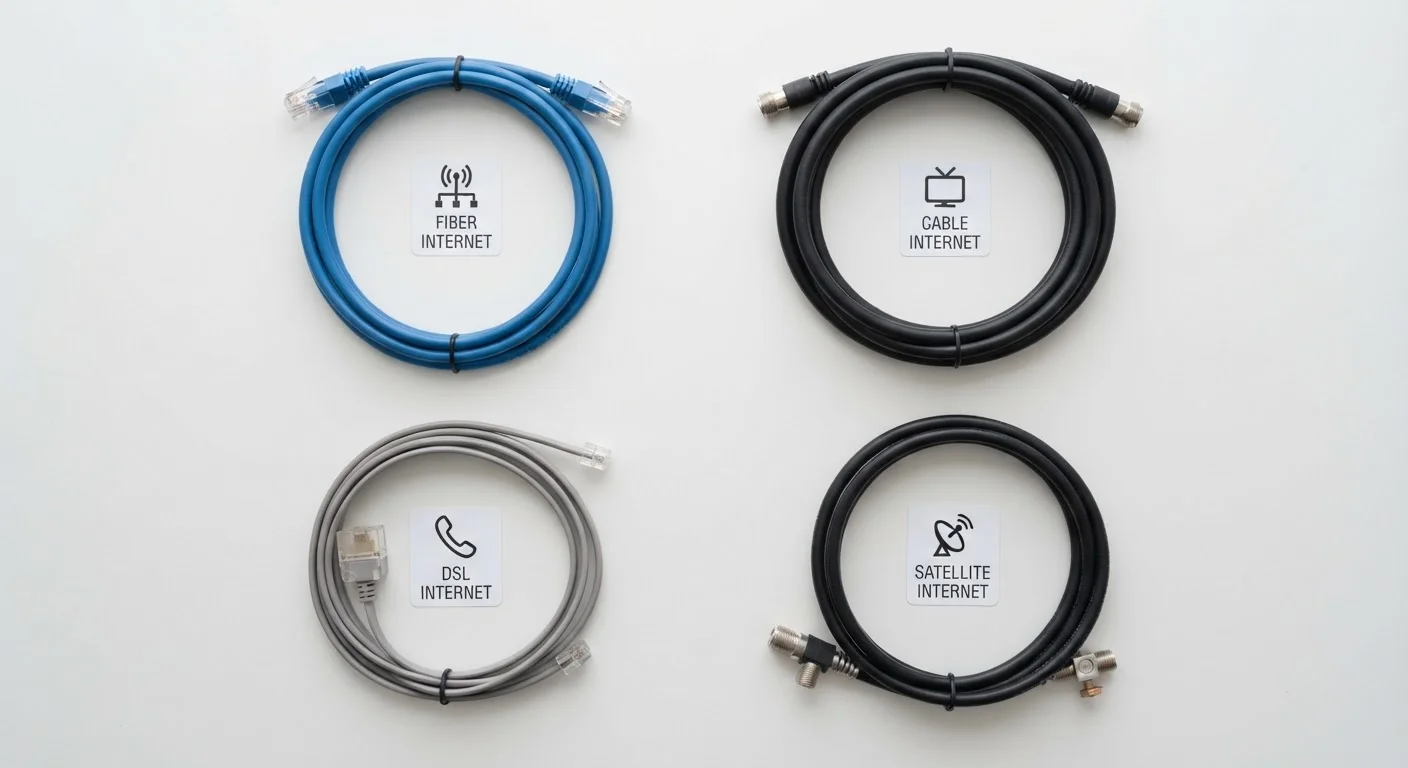
Key Takeaways
- Fiber uses light signals through glass strands, giving it the most consistent speeds and lowest latency of any broadband type.
- Cable internet is widely available and fast enough for most households, but speeds can dip during peak neighborhood usage hours.
- DSL travels over phone lines and is slower than fiber or cable, but it remains the only wired option in many rural areas.
- Satellite internet reaches nearly anywhere but carries high latency that affects video calls, gaming, and real-time applications.
- Your physical location is often the biggest factor in which broadband type is actually available to you.
Our Verdict
Fiber delivers the strongest all-around performance when it's available, while cable serves most households well at a lower infrastructure cost. DSL and satellite fill critical gaps in underserved areas but come with meaningful trade-offs in speed and responsiveness. No single type is universally superior - availability, household usage, and budget all shape which connection makes practical sense.
| Best for | Recommended |
|---|---|
| Households with heavy streaming, gaming, or remote work demands | Fiber |
| Urban and suburban households where fiber isn't yet available | Cable |
| Rural households with phone-line infrastructure but no cable buildout | DSL |
| Remote locations with no wired broadband infrastructure at all | Satellite |
Why the Underlying Technology Actually Matters
When you sign up for home internet, you're not just buying a speed tier - you're buying into a physical delivery system. That system determines how your connection behaves under real conditions: during a video call, when everyone on the block is streaming at 8 p.m., or when a storm rolls in. Understanding the four main broadband types helps you interpret what the marketing numbers actually mean for daily life. For a deeper look at what those Mbps figures translate to in practice, see what internet speeds really mean for streaming and working from home.
Fiber: Light Through Glass
Fiber-optic internet transmits data as pulses of light through thin glass or plastic strands. Because light doesn't degrade over distance the way electrical signals do, fiber connections maintain consistent speeds whether you're 100 feet or a mile from the network node. Fiber also offers symmetrical speeds - meaning upload and download rates are typically equal - which matters significantly for video conferencing, cloud backups, and any task where you're sending data out, not just pulling it in.
Latency (the delay between sending a request and receiving a response) on fiber networks is typically in the single-digit to low double-digit milliseconds range. The primary limitation is availability: fiber requires new cable infrastructure, and buildout has been uneven across the country, concentrated in urban cores and growing suburbs. For a direct comparison with its nearest competitor, see how fiber and cable stack up on speed, reliability, and availability.
Cable: The Coaxial Workhorse
Cable internet uses the same coaxial infrastructure originally built for television. It's the most widely available high-speed option in American suburbs and many cities. Modern cable technology (DOCSIS 3.1 and newer) supports download speeds well into the gigabit range, though upload speeds have traditionally lagged - often 10-20% of the download figure.
The key real-world caveat with cable is shared bandwidth. Your coaxial line connects to a node shared with neighbors, so congestion during peak hours (evenings, weekends) can measurably slow speeds. This isn't universal - well-maintained, less-loaded nodes may show little difference - but it's a structural characteristic of the technology that fiber doesn't share.
| Fiber | Cable | DSL | Satellite | |
|---|---|---|---|---|
| Typical download speeds | 100 Mbps - 5+ Gbps | 25 Mbps - 1+ Gbps | 1-100 Mbps | 25-200+ Mbps (LEO) |
| Upload speed parity | Symmetrical (equal up/down) | Asymmetrical (upload much lower) | Asymmetrical | Varies; often asymmetrical |
| Typical latency | < 10-20 ms | 10-35 ms | 20-60 ms | 20-60 ms (LEO); 600+ ms (geo) |
| Weather sensitivity | Minimal | Minimal | Minimal | Moderate to high |
| Peak-hour congestion risk | Low | Moderate (shared node) | Low | Moderate |
| Rural availability | Limited | Limited | Moderate | High |
| Data caps common? | Rarely | Sometimes | Sometimes | Frequently |
DSL: Phone Lines Doing Double Duty
Digital Subscriber Line (DSL) internet travels over existing copper telephone wires. Because that infrastructure is nearly ubiquitous, DSL reaches many rural and small-town areas where cable and fiber have no presence. The trade-off is speed and distance sensitivity: DSL performance degrades the farther your home sits from the telephone company's central office, and maximum speeds are typically far below what cable or fiber can offer.
For light internet use - email, basic web browsing, standard-definition video - DSL can be adequate. For households with multiple simultaneous users or 4K streaming demands, it often falls short. That said, in areas where DSL is the only wired option, it still provides lower latency and more stable connections than satellite for most everyday tasks.
Satellite: Broadband From Above
Satellite internet bounces signals between your dish and an orbiting satellite, then back to a ground station. It requires no terrestrial infrastructure at the endpoint, making it the option of last resort - and sometimes the only option - for remote rural households. Traditional geostationary satellite services orbit at roughly 22,000 miles altitude, producing latency of 600 milliseconds or more. Newer low-Earth orbit (LEO) satellite networks operate at a few hundred miles up, bringing latency down to the 20-60 ms range, which is far more usable for video calls and general browsing.
Even with LEO improvements, satellite connections can be affected by heavy rain, dense cloud cover, and physical obstructions between your dish and the sky. Data caps are also common. For rural households weighing satellite against the newer fixed wireless alternative, compare satellite and fixed wireless on latency, speed, and reliability.
Making a Practical Choice
Availability narrows your options before performance specs even enter the conversation. Check what types of service actually reach your address before comparing plans. Once you know what's available, match the connection type to your household's actual demands - number of simultaneous users, video call frequency, gaming, and upload needs all shift the calculus.
Before committing to any plan, it's worth reviewing the contract details carefully. Use this readiness checklist to review speeds, fees, data caps, and contract terms. And once you have a connection, router placement and equipment configuration can meaningfully shape your real-world experience.