

Key Takeaways
- Wi-Fi extenders are low-cost but create a separate network that can slow speeds and cause dropped connections while roaming.
- Mesh systems use multiple nodes to blanket larger homes with a single unified network and seamless handoffs.
- Wired access points deliver the most consistent performance but require running Ethernet cable through your home.
- The right solution depends on your home's size, construction materials, and whether you can run Ethernet cable.
Our Verdict
No single solution fits every home. Extenders solve occasional dead zones cheaply but come with performance trade-offs. Mesh systems balance coverage and convenience for most households. Wired access points offer superior reliability for demanding users willing to invest in proper installation.
| Best for | Recommended |
|---|---|
| Renters or those needing a quick, low-cost fix for one dead zone | Wi-Fi Extender |
| Multi-story homes or open floor plans needing whole-home coverage | Mesh System |
| Home offices or users who need maximum speed and stability | Wired Access Point |
Why One Router Often Isn't Enough
A standard home router broadcasts Wi-Fi in all directions from a single point. That works well in small apartments or compact single-story homes, but signal strength drops off with distance and degrades significantly when passing through walls, floors, concrete, or dense insulation. The result: dead zones in back bedrooms, garages, or basements where the signal barely reaches.
Three main approaches address this: Wi-Fi extenders, mesh systems, and wired access points. Each works differently, costs differently, and suits a different kind of home. Understanding how they actually function - not just what their packaging promises - is the most reliable way to choose. For a broader look at how placement and equipment decisions shape your connection, see this guide to home internet setup.
Wi-Fi Extenders: Simple but Limited
A Wi-Fi extender (sometimes called a repeater or booster) picks up your existing router's signal and rebroadcasts it. Setup is usually plug-and-play: position the extender roughly halfway between your router and the dead zone, connect it to your network, and it creates a second signal bubble.
The appeal is straightforward - extenders are relatively inexpensive and require no configuration expertise. But there are real trade-offs worth understanding:
- Half-bandwidth penalty: Most extenders use a single radio to receive and retransmit data, which can cut effective throughput roughly in half compared to what the router itself delivers.
- Separate network name: Many extenders broadcast a different SSID (network name), meaning your phone or laptop won't automatically switch to the stronger signal as you move around - you may need to switch manually.
- Signal quality compounds: An extender can only rebroadcast what it receives. If placement is poor and its own connection to the router is weak, the extended signal will be weaker still.
Extenders work reasonably well for a single room that's just out of range, particularly where the router signal arriving at the extender is still strong. They're a poor fit for whole-home coverage or for users who need consistent speeds.
Placement Makes a Bigger Difference Than You'd Expect
For extenders, the single most common mistake is placing them too close to the router - inside a strong signal zone - rather than at the midpoint between the router and the dead zone. Ideally, place an extender where it still receives a solid signal (roughly 50-70% strength) from the router while reaching closer to the problem area. Moving an extender even 10-15 feet can meaningfully change the coverage it provides.
Mesh Systems: Whole-Home Coverage as One Network
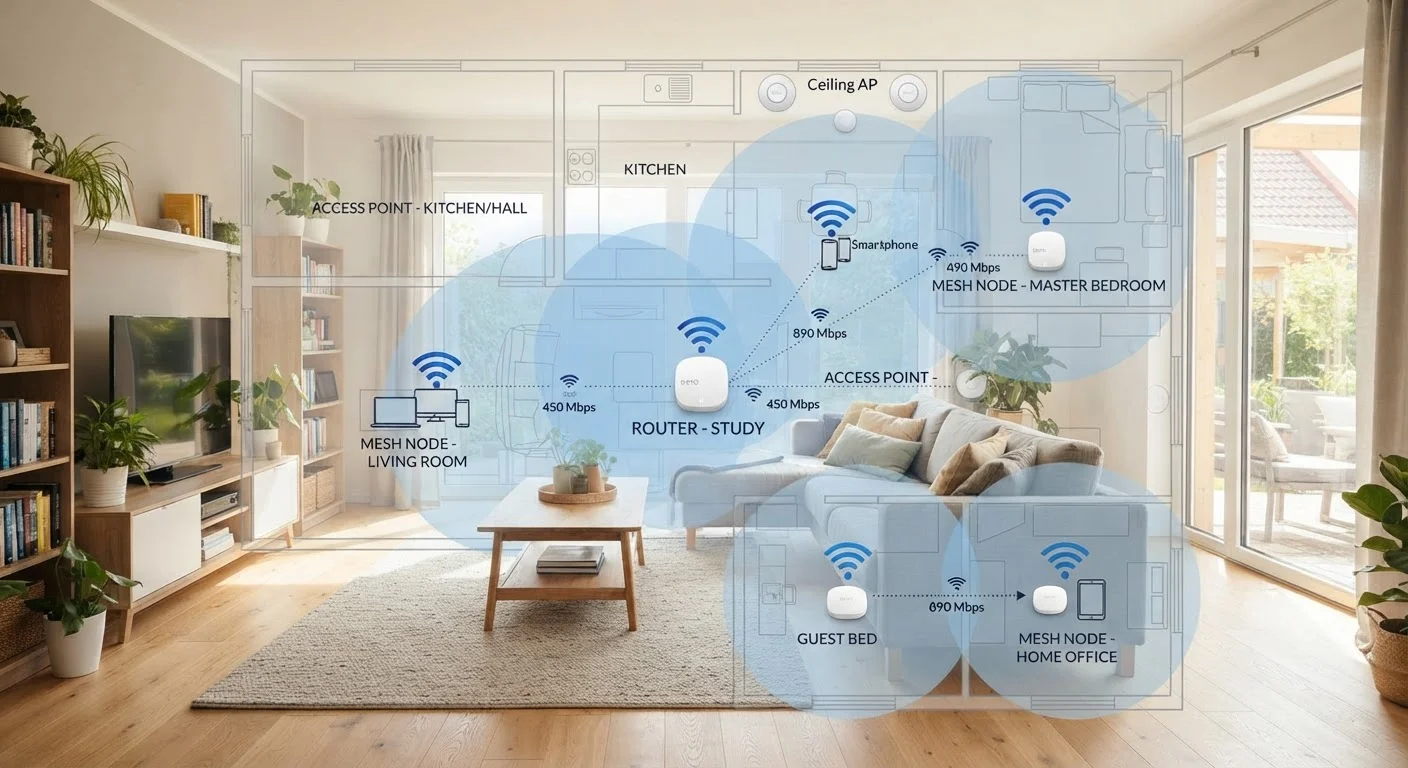
A mesh system replaces your router with two or more nodes that work together as a coordinated network. Each node communicates with the others, and your devices see one unified Wi-Fi network. As you move through the house, your device hands off to the nearest node automatically - no manual switching required.
Most mesh systems use a dedicated wireless backhaul - a separate radio channel just for node-to-node communication - so the bandwidth available to your devices isn't shared with the routing traffic between nodes. Some entry-level mesh kits use a shared backhaul, which reduces this advantage, so it's worth checking the product specifications.
Mesh systems are genuinely well-suited to larger homes, multi-story layouts, and households with many connected devices. Setup is typically handled through a smartphone app and is approachable for non-technical users. The main limitation is cost: a quality two- or three-node system costs noticeably more than a single extender. However, for a household dealing with widespread dead zones, the investment in a mesh system usually produces a more stable, usable result than stacking multiple extenders.
| Wi-Fi Extender | Mesh System | Wired Access Point | |
|---|---|---|---|
| Setup complexity | Very low - plug and play | Low - app-guided setup | High - requires Ethernet cabling |
| Typical upfront cost | Low | Moderate to high | Moderate (plus installation) |
| Coverage consistency | Moderate, degrades with range | Good across multiple nodes | Excellent, wired uplink |
| Seamless roaming | Often manual network switching | Yes, single unified SSID | Yes, with matching SSID config |
| Speed penalty | Significant on single-band units | Minimal with dedicated backhaul | None - wired backhaul |
| Best suited for | Single dead zone, small homes | Larger homes, renters | Homeowners, heavy users |
Wired Access Points: Maximum Performance, More Work
A wired access point (AP) connects to your router via an Ethernet cable and broadcasts Wi-Fi from a new physical location. Because its uplink is wired rather than wireless, it doesn't suffer the signal degradation or bandwidth penalties that wireless extenders experience. The throughput available to devices connected through an AP is limited mainly by your internet plan speed and the AP's own Wi-Fi radio - not by a weak wireless backhaul.
Multiple access points can be configured with the same network name and password, allowing seamless roaming similar to a mesh system but with even more consistent performance. This is how most enterprise and office Wi-Fi networks are built, and the same principles apply at home.
The practical barrier is installation. Running Ethernet cable through walls, ceilings, or crawlspaces requires planning and, in some cases, professional help. For homeowners who are renovating, building new, or who already have structured wiring in place, access points are an excellent long-term investment. For renters or those without accessible cable runs, they're often impractical.
If you're troubleshooting persistent dead zones and wondering whether the issue is coverage or something else, this breakdown of why signals drop covers the full range of causes.
How to Choose Based on Your Actual Situation
The right choice depends less on marketing claims and more on a few concrete factors about your home and usage:
- Home size and layout
- Small homes or apartments under roughly 1,500 sq ft with open layouts may be adequately covered by a single quality router. Larger or multi-story homes benefit from mesh or access points.
- Construction materials
- Concrete, brick, metal framing, and plaster walls block Wi-Fi signals far more aggressively than wood-frame drywall. Dense construction argues for more nodes or wired solutions.
- Whether you can run Ethernet
- If you own your home and can run cable - or already have coaxial or structured wiring - access points deliver the most reliable long-term result. If you can't, mesh is the next best option.
- Number and type of devices
- Homes with many simultaneous users streaming video, working remotely, or gaming benefit more from the consistent performance of wired access points or tri-band mesh systems than from extenders.
For households in rural areas evaluating their internet options more broadly, satellite vs. fixed wireless internet covers the upstream choices that affect what a coverage solution needs to support.