

Key Takeaways
- Smart plugs add remote control to any existing plug-in device without rewiring anything.
- Smart bulbs live in the fixture and require the physical switch to always remain on.
- Smart switches replace the wall switch and work with ordinary bulbs, making them ideal for whole-room control.
- Each device uses Wi-Fi, Zigbee, or Z-Wave - your home network setup affects which will work reliably.
- The right choice depends on your rental situation, electrical setup, and how many devices you want to control.
Our Verdict
No single device wins outright - each fills a distinct role. Smart plugs are the lowest-friction entry point for renters or anyone new to home automation. Smart bulbs deliver the richest lighting customization per fixture. Smart switches offer the most practical, long-term solution for controlling overhead lights in homes you own. Many households end up using all three, each in its natural context.
| Best for | Recommended |
|---|---|
| Renters or those who want zero installation complexity | Smart Plugs |
| Anyone who wants color-changing or tunable white lighting per bulb | Smart Bulbs |
| Homeowners controlling overhead ceiling fixtures with multiple users | Smart Switches |
| Those automating non-lighting devices like fans, space heaters, or coffee makers | Smart Plugs |
Why These Three Devices Exist
Smart home products all share one goal: letting you control something remotely or automatically. But smart plugs, smart bulbs, and smart switches each attack that goal from a different angle - and buying the wrong one for your situation can leave you with something that doesn't fit your home or your habits.
The confusion is understandable. Walk into any hardware or electronics aisle and the packaging uses similar language: "voice control," "app-controlled," "works with Alexa." What that packaging rarely explains is where in the electrical chain each device sits, and why that matters more than any feature list.
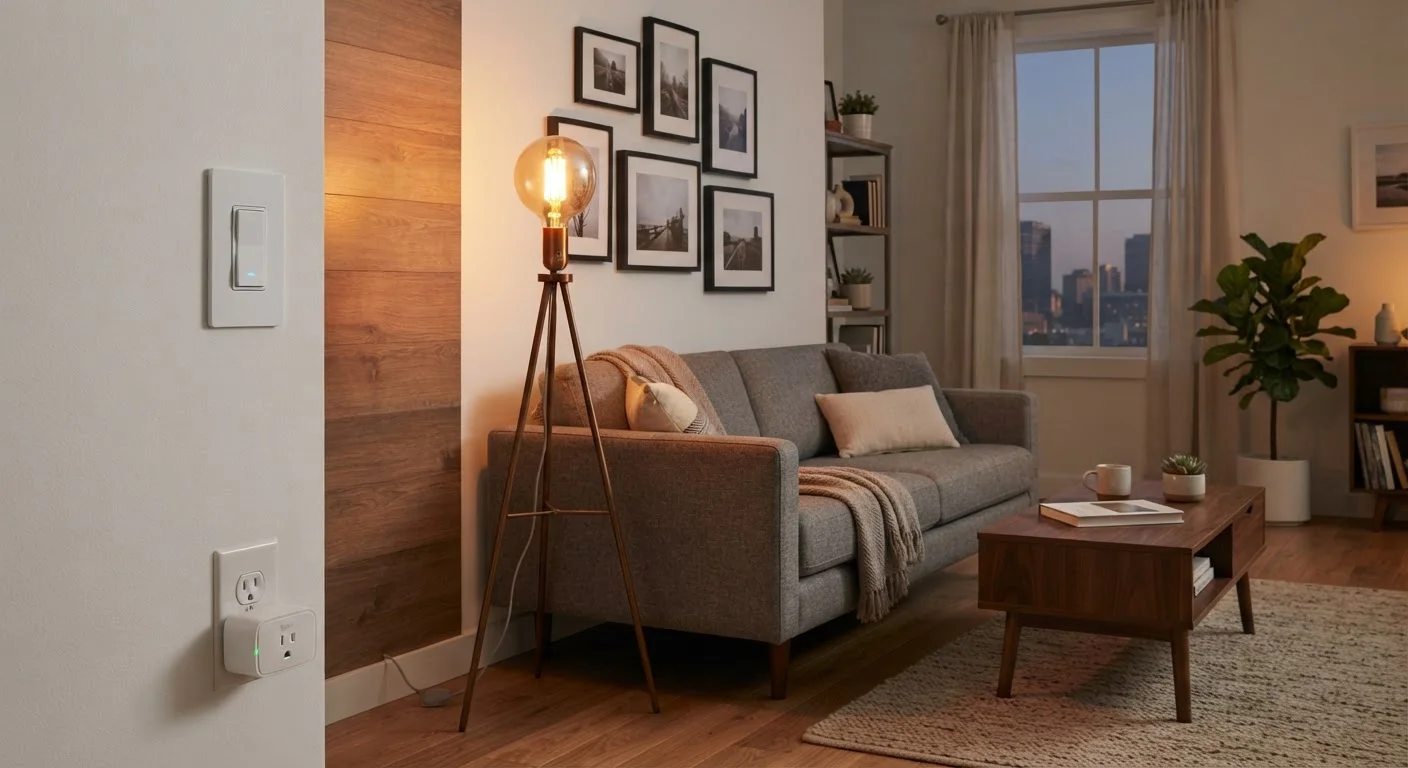
Understanding the basic wiring concept helps. Electricity flows from your panel to a wall switch, then to a fixture or outlet, then to your device or bulb. A smart switch intercepts it at the wall. A smart bulb intercepts it at the fixture. A smart plug intercepts it at the outlet. Each placement has practical consequences for what you can and can't do. For a deeper look at the wireless communication layer underneath these devices, see how Wi-Fi and Bluetooth differ in practice.
Smart Plugs: The Easiest Entry Point
A smart plug sits between your wall outlet and whatever is plugged into it - a lamp, a fan, a coffee maker. You control power to that device via an app or voice command. Installation is literally plug-and-play, and you take it with you when you move.
Their biggest limitation is that they control power only - on or off. If you plug a dimmable lamp into a smart plug, you still get only full brightness. They also add a physical footprint at the outlet, occasionally blocking the second socket.
Smart plugs shine for non-lighting devices: setting your coffee maker to start before you wake up, cutting standby power to a TV entertainment center, or turning on a space heater 20 minutes before you get home. They're also the right call for renters who can't modify wiring or switches.
Check for Energy Monitoring Features
Many smart plugs include energy-monitoring features that track how much electricity a device consumes. This data can reveal which appliances quietly drain the most power - useful context before making any energy-efficiency decisions. It won't cut your bill automatically, but it gives you real numbers to work from.
Many smart plugs include energy-monitoring features that track how much electricity a device consumes. This data can reveal which appliances quietly drain the most power - useful context before making any energy-efficiency decisions.
Smart Bulbs: Per-Fixture Customization
Smart bulbs screw into a standard light socket and contain the wireless radio and control circuitry inside the bulb itself. They can offer dimming, color temperature adjustment (warm to cool white), and in many cases full RGB color - all adjustable from an app or voice assistant.
The unavoidable catch: the wall switch must stay on. If someone flips the physical switch off, the bulb loses power and goes offline entirely - it can't respond to app commands or schedules. This creates real friction in multi-person households where family members habitually use the wall switch.
Some households solve this by replacing the switch plate with a non-functional cover, or by adding a small battery-powered remote near the switch. Neither option is elegant. Smart bulbs work best in fixtures without a wall switch (like plug-in lamps) or in locations where everyone understands and accepts the always-on switch rule.
Cost adds up quickly. A single smart bulb can cost several times more than a standard LED bulb, and a room with six recessed fixtures means six bulbs. For whole-room overhead lighting, a smart switch often becomes the more economical choice.
Smart Switches: The Whole-Room Solution
A smart switch replaces your existing wall switch and puts the intelligence at the wall rather than in each bulb. Once installed, any standard bulb in that fixture works - no special bulbs required. Family members can still use the physical switch normally, and the smart features remain fully operational.
Installation requires basic electrical work: turning off the circuit breaker, removing the old switch, and wiring the new one in. Most smart switches require a neutral wire - a wire that completes the electrical circuit - which is present in most homes built after the mid-1980s but missing in some older construction. Before purchasing, it's worth checking your switch box.
For homeowners, smart switches generally represent the most durable and family-friendly approach to lighting automation. A single switch controls every bulb in a fixture, there's no per-bulb replacement cost, and the physical switch works exactly as expected. If you're planning a broader automation setup, what new smart home users wish they'd known covers common missteps worth avoiding before you expand.
| Smart Plug | Smart Bulb | Smart Switch | |
|---|---|---|---|
| Installation difficulty | None - plug in and go | None - screw in and go | Moderate - requires wiring |
| Works with regular bulbs | Yes | N/A - is the bulb | Yes |
| Physical switch still usable | Yes | No - must stay on | Yes |
| Renter-friendly | Yes | Yes | Generally no |
| Controls non-lighting devices | Yes | No | No |
| Color/dimming options | No | Yes (model-dependent) | Dimming only, no color |
| Cost per controlled circuit | Low | High (per bulb) | Low after installation |
Choosing Based on Your Actual Situation
Rather than picking a "winner," map each device to the problem you're actually trying to solve.
- Renting or can't modify wiring: Smart plugs for outlets; smart bulbs for lamps (not ceiling fixtures).
- Overhead ceiling lights in a home you own: Smart switches almost always make more practical sense than equipping every recessed bulb.
- Want color or tunable white light in a specific lamp: Smart bulbs are the only option in that fixture.
- Automating non-lighting appliances: Smart plugs are the right tool.
Your home's internet setup also matters. Most of these devices rely on a 2.4 GHz Wi-Fi connection. If your router is far from the devices or your network is already crowded, reliability can suffer. Some ecosystems use Zigbee or Z-Wave protocols, which require a separate hub but often provide more stable connections for large numbers of devices. If you're planning to expand your smart home, a reliable home internet connection is foundational - see how to evaluate and switch home internet providers if your current service is a limiting factor.
For a broader look at what smart speakers add to this ecosystem - and the privacy trade-offs involved - this balanced overview of smart speakers is worth reading before committing to a particular voice assistant platform.