

Key Takeaways
- Carriers collect network-level data including call records, location data, and general browsing metadata by default.
- Apps collect only what device permissions allow - reviewing and revoking permissions is a practical first step.
- Device makers collect diagnostic and usage data that can often be reduced in system privacy settings.
- Federal law limits some carrier data sharing, but advertising-related data practices vary widely.
- You have meaningful but imperfect control over data collection through permissions, settings, and plan choices.
Mobile Data Collection
Mobile data collection is the process by which carriers, apps, and device makers gather information about how you use your phone - including your location, browsing habits, contacts, and usage patterns. This data is collected automatically as a byproduct of the services you use, often without a clear moment of consent beyond buried terms of service. Understanding what is collected helps you make more deliberate choices about apps, permissions, and plans.
Carriers operate at the network layer and can observe traffic metadata even without app-level permissions; app developers collect data within the permissions granted by the device operating system.
What Carriers Collect - and Why
Your wireless carrier sits between your device and every network it connects to. That position gives carriers access to a significant layer of data that most people don't think about when signing a plan agreement.
Carriers routinely collect:
- Call and text records - numbers dialed, duration, timestamps, and general location at time of call.
- Location data - derived from which cell towers your device connects to. This is coarser than GPS but can still pinpoint your general neighborhood or movement patterns.
- Data usage metadata - which domains you connect to, volume of data consumed, and timing, even if the content itself is encrypted.
- Device identifiers - your phone's IMEI number, SIM identifiers, and the account credentials tied to them.
Federal law under the Communications Act requires carriers to protect certain CPNI (Customer Proprietary Network Information), such as call detail records. However, advertising-related data practices - including aggregated location sharing with third parties - have historically operated in a grayer area. Carriers' own privacy policies govern much of this, and those policies differ meaningfully. Reading the privacy policy of your carrier, as dry as that sounds, is the most direct way to understand what they do with your data.
If you want to understand how plan structures and carrier terms fit together more broadly, our complete starting point for choosing a mobile plan explains each concept in plain language.
What Apps Collect - and How Permissions Work
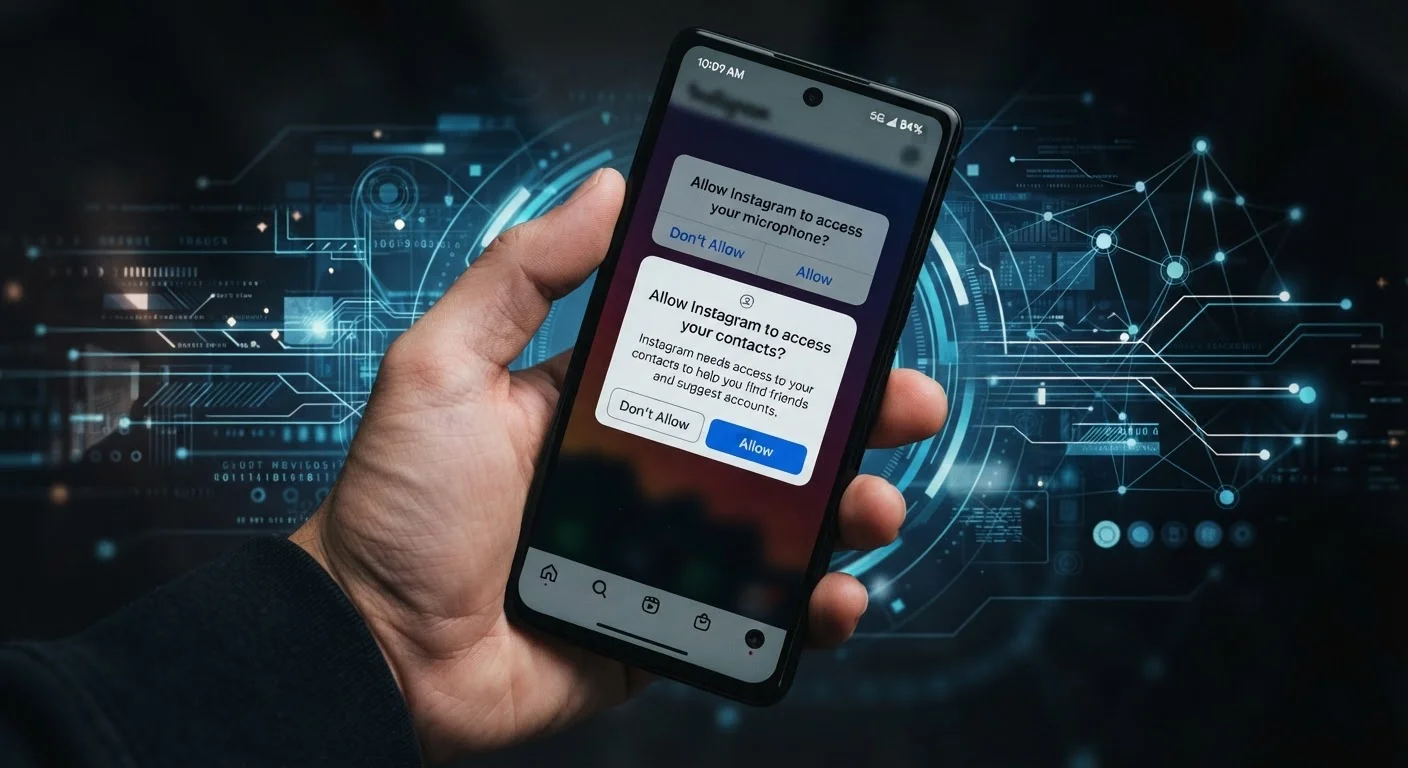
Apps collect data through a combination of explicit permissions you grant and data they generate from your in-app behavior. The permission system on your phone - whether Android or iOS - acts as a gatekeeper for the most sensitive categories.
Common permission categories and what they expose:
- Location - ranges from approximate location (neighborhood-level) to precise GPS coordinates. "Always on" location access means an app can record your movements even when you're not using it.
- Contacts - grants access to your full contact list, which apps sometimes use to map social graphs or suggest connections.
- Camera and microphone - required for legitimate functions like video calls, but worth auditing for apps where these functions aren't obvious.
- Photos and files - access to your stored media, which can include embedded location metadata in photos.
Beyond permissions, apps track in-app behavior by default: which screens you visit, how long you spend on them, what you tap, and what you search. This behavioral data feeds advertising systems and product analytics. Most of this doesn't require a permission dialog - it happens as part of the app's operation.
Check Your Permission Summary Regularly
Both Android and iOS include a privacy dashboard in settings that shows a recent timeline of which apps accessed sensitive permissions like location, microphone, or camera. Setting a monthly reminder to review this list takes less than five minutes and often surfaces surprises - apps you forgot you installed, or permissions you don't remember granting.
Both Android and iOS include a privacy dashboard or permission summary in settings that shows which apps have recently used sensitive permissions like location or microphone. Checking this periodically is one of the most actionable things you can do.
What Device Makers Collect
The operating system itself - and the device manufacturer behind it - collects a third stream of data distinct from your carrier and your apps. This typically includes:
- Crash and diagnostic reports - sent automatically when apps or the system fail, often including device state and usage context.
- Feature usage telemetry - which built-in features you use, how often, and in what sequence.
- Account-linked data - if you sign in with a platform account (such as a Google or Apple ID), your activity across that ecosystem is associated with your identity.
Most device makers offer a setting to limit diagnostic data sharing or opt out of personalized advertising within the platform. These controls are usually found under Settings > Privacy or a similar path. They reduce some data sharing but rarely eliminate it entirely, since some telemetry is tied to system security and update functions.
~80%
Apps requesting at least one sensitive permission
Research from multiple mobile security firms has consistently found the large majority of popular apps request at least one sensitive permission such as location, camera, or contacts.
3rd party
Destination for much app-collected data
Studies of app ecosystems have found that a significant share of data collected by apps is transmitted to third-party advertising or analytics SDKs embedded in the app, not just the app's own servers.
Varies by state
Consumer data rights under US privacy law
As of the mid-2020s, a patchwork of state privacy laws (including California's CCPA) grant consumers rights to access, delete, or opt out of sale of personal data - rights that do not yet exist uniformly at the federal level.
For a deeper look at how your phone's internal systems use storage and resources, see why devices slow down over time - data logging and background processes are part of that picture.
What Controls Are Actually Available to You
The realistic picture is that some data collection is unavoidable if you use a smartphone and a cellular plan. But the scope is meaningfully adjustable through deliberate choices.
Permission audits: Go through your app permissions and revoke anything that doesn't match the app's core function. A flashlight app doesn't need location access. A recipe app doesn't need your contacts.
Limit ad tracking: Both major mobile platforms allow you to opt out of cross-app advertising identifiers. On iOS, this is controlled via App Tracking Transparency prompts. On Android, you can reset or delete your advertising ID in privacy settings.
Review carrier privacy settings: Most carriers have an online account portal where you can opt out of data-sharing programs used for marketing. These are separate from the legal data retention carriers are required to maintain.
Be selective with app installs: Every additional app is an additional data pipeline. Apps you downloaded once and rarely use still retain the permissions you granted. Uninstalling unused apps is a straightforward way to reduce exposure.
If you're planning to pass on a device, those privacy steps matter even more - our checklist on what to do before selling or donating a phone walks through the full process. For families with children using devices, parental controls across devices covers additional considerations around data and access.