

Key Takeaways
- Two-factor authentication requires both your password and a second proof of identity to log in.
- Authenticator apps are generally more secure than SMS text codes for the second factor.
- Enabling 2FA is one of the most effective steps an individual can take to protect online accounts.
- Even with 2FA active, phishing attacks can still trick users into handing over both factors.
- Most major services offer 2FA in their account security settings and it takes only a few minutes to set up.
Start here
What Is Two-Factor Authentication?
Next
The Three Types of Authentication Factors
Then
Common 2FA Methods Explained
Apply it
How to Turn On 2FA for Your Accounts
Stay informed
Limitations and What 2FA Cannot Protect Against
What Is Two-Factor Authentication?
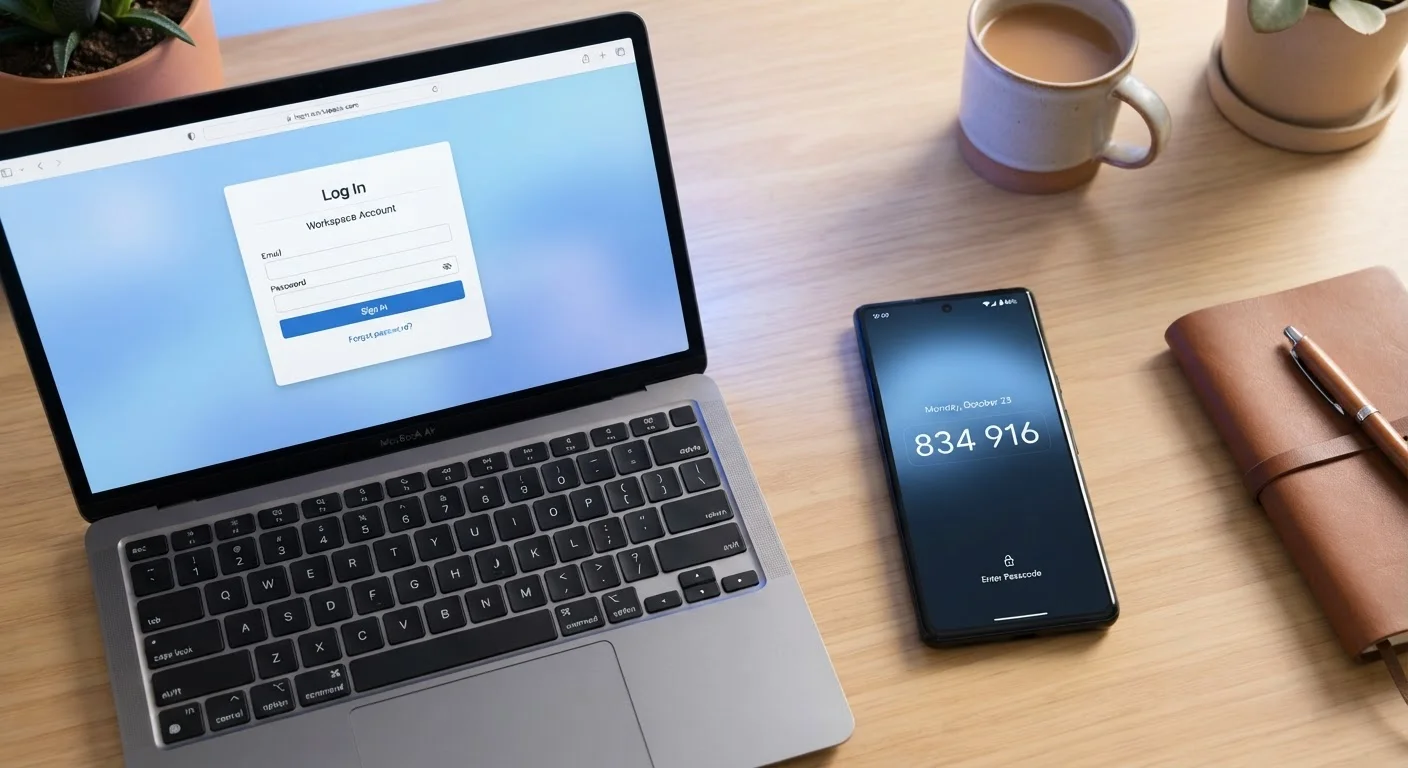
Two-factor authentication - commonly abbreviated as 2FA or MFA - is a login security method that requires you to prove your identity in two distinct ways before gaining access to an account. The first factor is almost always your password. The second is something separate: a code generated by an app, a text message, a physical key, or even your fingerprint.
The core idea is simple: if an attacker steals your password (through a data breach, for example), they still cannot log in because they do not have your second factor. That separation is what makes 2FA powerful. A password alone is a single point of failure; two independent factors are much harder for an attacker to compromise simultaneously.
Pairing strong passwords with 2FA is widely regarded by security researchers as one of the most impactful habits an individual can adopt. See our guide to password managers for practical ways to manage unique passwords across all your accounts.
Two-factor authentication (2FA)
A login process requiring two separate proofs of identity - typically a password plus a code from your phone - so that a stolen password alone cannot unlock your account.
Authentication factor
Any piece of evidence used to verify your identity, categorized as something you know, something you have, or something you are.
TOTP
Time-Based One-Time Password - a widely used open standard for generating short, time-limited codes in authenticator apps, without relying on a cellular network.
SIM swapping
A type of attack where a criminal convinces your phone carrier to transfer your number to a device they control, allowing them to receive your SMS verification codes.
FIDO2 / WebAuthn
An open security standard used by hardware keys and some devices to prove login without transmitting a password or code - highly resistant to phishing attacks.
MFA fatigue attack
An attack technique where criminals repeatedly send authentication approval prompts to a victim's device, hoping the person accepts one out of confusion or frustration.
The Three Types of Authentication Factors
Security professionals organize authentication into three categories, often described as:
- Something you know - a password, PIN, or security question answer.
- Something you have - a phone, a hardware token, or a smart card.
- Something you are - a fingerprint, face scan, or other biometric.
True two-factor authentication draws from two different categories. A password plus a code sent to your phone combines "something you know" with "something you have" - that counts. Two passwords, or a PIN plus a security question, both fall into the same category and offer much weaker protection.
Most consumer 2FA setups today combine a password with a time-sensitive code delivered to or generated on your phone. Biometrics appear primarily as the second factor on smartphones (unlocking an authenticator app, for instance), rather than being sent over a network.
Common 2FA Methods Explained
Not all second factors are equally strong. Here is an honest breakdown of the most common options you will encounter:
SMS Text Codes
The service texts a six-digit code to your phone number. It is convenient and widely supported, but it carries known vulnerabilities. Attackers can redirect your phone number to their own device through a technique called SIM swapping - contacting your carrier and impersonating you. Cellular networks also have structural weaknesses that sophisticated actors have exploited. SMS 2FA is still better than no 2FA, but it should not be your final answer for high-value accounts.
Authenticator Apps
Apps such as those complying with the open TOTP standard generate codes locally on your device - no cell signal required. Because the code is generated on your phone rather than transmitted over a carrier network, SIM-swapping attacks are not effective against it. This is the method most security guidance recommends for everyday users.
Hardware Security Keys
A small physical device - typically plugged into a USB port or tapped to your phone - that cryptographically proves you are present. Keys built on the FIDO2/WebAuthn standard are currently the most phishing-resistant option available to consumers. They are best suited to people with elevated security needs or accounts that are high-value targets.
Push Notifications
Some services send an approval prompt directly to their own app on your phone. You tap "Approve" to confirm the login. This is convenient but can be vulnerable to MFA fatigue attacks, where attackers bombard users with repeated prompts hoping someone approves one by accident.
Choose an Authenticator App Over SMS When You Can
When setting up 2FA, look for the option to use an authenticator app before defaulting to text messages. Apps that follow the TOTP standard work offline and are not vulnerable to SIM-swapping. Once set up, they are just as quick to use as waiting for a text - often quicker.
How to Turn On 2FA for Your Accounts
The exact steps vary by service, but the general process is consistent across most platforms:
- Go to your account's security settings. Look for labels like "Security," "Privacy," or "Login options." Most major services place 2FA settings in one of these areas.
- Select "Two-factor authentication" or "Two-step verification." Some services use these terms interchangeably.
- Choose your second factor. If you have an authenticator app available, choose that over SMS where possible.
- Follow the setup instructions. For authenticator apps, you will typically scan a QR code displayed on screen.
- Save your backup codes. Nearly every service will generate a set of single-use recovery codes at setup. Print or write these down and store them somewhere secure and offline - they are your emergency exit if you lose your phone.
Prioritize your email account first. Because most password reset flows route through email, a compromised inbox can cascade into access loss across many other services.
Limitations and What 2FA Cannot Protect Against
Two-factor authentication is a meaningful improvement over passwords alone, but it is not a complete solution. Understanding the gaps helps you stay realistic about what it does and does not do.
Real-time phishing attacks remain the most significant threat. A convincing fake login page can prompt you for your password and your 2FA code simultaneously, relaying both to an attacker before your session expires. FIDO2 hardware keys are specifically designed to counter this, because they verify the website's domain before responding - making them the only widely available consumer option that is largely resistant to this attack type.
MFA fatigue is also an increasing concern. If you receive an unexpected 2FA approval prompt, do not approve it - someone may be attempting to log in using credentials they have already obtained.
Finally, 2FA protects the login, not the account after login. Malware already running on your device, or a session that has already been authenticated, can still be exploited regardless of your second factor.
Used alongside a password manager, strong unique passwords, and basic phishing awareness, two-factor authentication forms a solid foundation for personal account security - even if no single measure is ever fully foolproof.